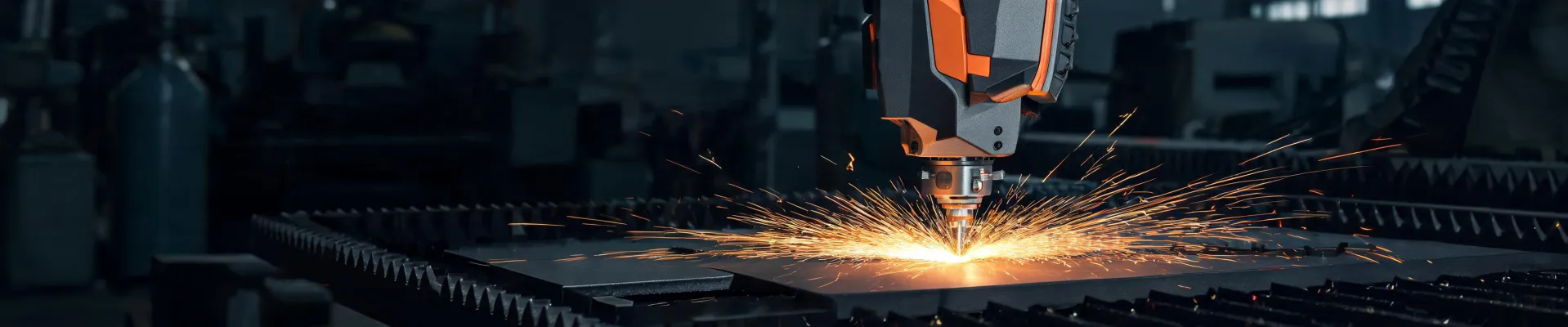
Choosing Bodor Laser Equipment: Nozzles, 6kW Power, and CO2 Marking Risks
Posted on 2026-08-13 by Elise Marceau
I'm not a laser engineer. I'm the person who signs the POs and asks questions until vendors give me straight answers. I report to both operations and finance, which means my job is to keep production running and keep the controller from throwing a spreadsheet at me. For the last five years I've managed purchasing for a 30-person metal fabrication shop—roughly $120,000 per year in equipment and consumables, across nine or ten suppliers. Maybe nine. I'd have to check the system.
Back in 2020, when I took over purchasing, I thought machine specifications were everything. Five years later, I know better. If you're trying to decide between Bodor laser nozzles, a Bodor 6kW laser, or a CO2 marking system, here's the uncomfortable answer: there's no universal pick. It depends on the material, the job mix, and how close you are to a service supplier. That sounds like a dodge, so let me make it useful.
Start with the part of the machine that touches the material
Most buying guides focus on wattage. I think that's backwards. The nozzle and the focus settings are what actually make the cut. A 6kW machine with the wrong nozzle can cut worse than a 3kW machine with correct consumables. I've watched it happen in our shop.
Bodor laser nozzles are a real decision point because there are OEM options, third-party options, and a thousand worn-out tips gathering dust in someone's toolbox. The right answer depends on what you're cutting and how you check quality.
Scenario A: You run long production shifts on 10mm and thinner mild steel
Use a branded 2.0mm nozzle and check the tip before every shift. Don't rely on 'it was fine yesterday.' Actually no one says that in a happy voice. They say it after the scrap bin is full. The nozzle bore can get a tiny nick from spatter, and that nick turns a clean cut edge into a rough, angled one. I learned this the expensive way.
I knew I should verify the bore before installing a nozzle from a new batch, but I thought 'what are the odds?' That was the week we scrapped 12 sheets of 12mm plate. Not the laser's fault. The nozzle's bore had a burr. The beam didn't center, and the cut failed midway through the sheets. Now any new box of nozzles gets a quick visual check and a test cut on scrap before it goes into production.
For this scenario, buy OEM or a compatible brand you have tested on your own machine. Don't buy the cheapest box of 50 from a marketplace listing. You're not saving money; you're buying a very cheap reason to redo a part. (Note to self: I should write that on the whiteboard in the shop.)
Scenario B: You cut mixed materials and change jobs often
Use a small inventory of standard nozzle sizes, not a different nozzle for every job. This runs against the advice you see in forums, but here's what I mean by 'small': a 1.5mm and a 2.0mm cover most cutting jobs. Adding a 2.5mm for thicker plate is reasonable. Anything beyond that adds changeover time and makes the nozzle cabinet a mess.
In 2024, part of our vendor consolidation involved standardizing the nozzle drawer. We cut setup time from roughly 10 minutes per job change to four or five. The machine didn't change. The process did. That efficiency is worth more on the P&L than the 10% discount someone offers on odd-size nozzles.
Scenario C: You do prototypes or one-off jobs that need a specific edge quality
Keep a couple of OEM Bodor laser nozzles in reserve for the jobs a customer is watching. When I tested compatible nozzles against the OEM ones, the compatible versions did fine for 80% of our runs. But on a visible, surface-critical part, the OEM nozzle was more predictable. It took me three years and about 180 orders to accept that 'fine for most work' is not the same as 'fine for the job you can't redo.'
Everything I'd read said OEM parts are always the answer, and compatible parts are always a risk. The conventional wisdom is wrong in the other direction, at least for us. The risk is in not testing, not in the brand. If you have a good distributor, ask if you can trial a small set before buying in bulk.
Bodor 6kW laser: power is a comfort, not a promise
The phrase 'Bodor 6kW laser' comes up constantly when people look for a serious metal sheet cutting machine. It's a popular spec because 6kW sits in a sweet spot: it can handle thick plate without demanding the electrical service and upkeep that a 10kW or 12kW machine needs. But that doesn't mean 6kW is right for every shop.
Here are the scenarios I see as a buyer:
If you mostly cut sheet metal up to 10mm, 6kW is more than enough. Honestly, a 4kW machine might do the same work with less energy and lower consumable cost. The extra power doesn't translate to a faster edge on thin sheet; it increases the risk of dross on small features if you're not careful. Power is not speed.
If you regularly process 16mm to 25mm mild steel, 6kW is the practical choice. You get the pierce speed that a lower-power machine lacks. This is where the Bodor 6kW earns its keep. The time difference on thicker plate is real, and in production, time is the thing you can never buy back.
If you're a job shop with unpredictable work, 6kW is a reasonable compromise. It's not the ultimate power, but it gives you room to say yes to jobs you couldn't quote before. The machine doesn't need to be the most powerful in the building. It needs to be the one that makes your average day faster.
The best power rating is the one that fits the material thickness you actually cut, not the one you mention in your marketing.
That quote isn't from a famous consultant. It's from my own spreadsheet after comparing three years of cut time, gas usage, and rework.
CO2 marking, fiber lasers, and the burn risk nobody should ignore
Another common search phrase is 'laser marking co2,' and I understand why. CO2 lasers are cheaper for some marking jobs, especially on non-metals. But the CO2 vs fiber question is a branch, not a single answer.
CO2 marking is the right answer if your parts are wood, plastic, glass, coated metal, or other organic materials. A 10.6-micron CO2 wavelength produces good contrast on those surfaces. For marking bare steel or aluminum, a fiber laser is usually the better tool. Fiber is faster on metals and the line quality stays consistent through long runs.
Now the part that matters more than cutting speed: 'co2 laser burns' is a phrase that appears in search logs for a reason. A CO2 laser can cause serious eye and skin burns. The beam is absorbed by water in tissue, so it burns on contact. Under the ANSI Z136.1 laser safety standard, cutting and marking lasers are Class 4 devices. That means you need proper enclosures, laser safety glasses with the right optical density for the wavelength, and a procedure that prevents anyone from walking into the beam path.
This is not a paragraph I'm writing to fill space. In our shop, we added interlocks on the marking cell and made safety glasses a part of the daily checklist. It's been three years and we haven't had an incident. The equipment budget can handle a decent pair of glasses. The hospital bill and the lost workday cannot.
Should you look for a metal sheet laser cutting machine nearby?
The keyword 'metal sheet laser cutting machine nearby' tells me you might be trying to avoid buying a machine outright. Sometimes that's the smartest move. If you only cut parts a few times a month, a nearby fabrication shop with a Bodor machine can be a better 'purchase' than a machine you own. You pay for the cut, not the depreciation.
If you need parts made regularly and your profit margin depends on turning quotes around fast, then a local supplier is not a substitute for in-house cutting. That's when you go from searching 'nearby' to requesting a demo from a Bodor distributor. The demo should include your material, your part geometry, and your expected cycle time.
Here's how I'd judge which situation you're in:
- If it's a one-time project that has to be perfect, use a local machine shop. You have no reason to own the equipment.
- If it's a repeated production item with tight tolerances, in-house cutting with the right Bodor laser nozzles and power will save you money.
- If you're not sure about volume yet, rent time on a nearby machine first. Keep a log of cost per part. That log is your decision maker.
That last point is the one I'd want someone to tell me early. It took five years of managing purchasing for me to understand that 'Which machine?' is the wrong first question. The right first question is 'How many hours of this work will we have next month?' If the answer is vague, don't buy a machine yet. Find a metal sheet laser cutting machine nearby and pay for the hours while you collect data.
When you do pull the trigger, the machine is only the beginning. The nozzles, the power rating, the marking technology, and the safety plan are all decisions that continue after the sale. No single answer works for every shop. But if you know your material, your volume, and your safety procedures, it's much easier to make the right call.

Elise Marceau
Elise Marceau is an LED display and digital-signage systems analyst covering LED video walls, modular screens, transparent LED, control processors, and indoor or outdoor signage. She applies IEC 62368-1 safety principles while comparing pixel pitch, luminance, contrast, refresh rate, colour uniformity, viewing angle, ingress protection, power density, module serviceability, and signal redundancy. Her specification guides help integrators, venue operators, retailers, and procurement teams align viewing distance, ambient light, content format, installation access, electrical load, and lifecycle support.