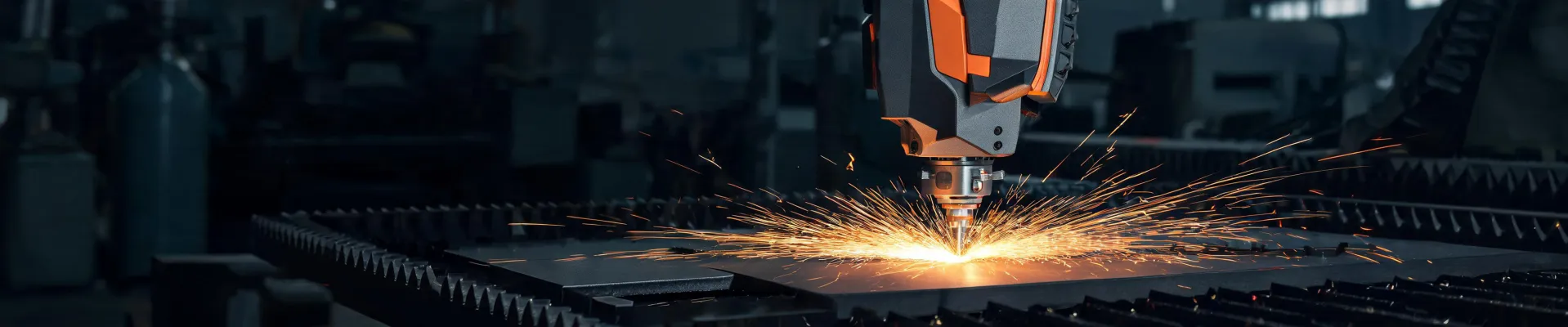
There's No 'Best' Laser Machine—Only the Right One for Your Shop
Posted on 2026-11-27 by Pavel Novak
Type 'laser' into Google from Cincinnati and you get a mess. Half the results are laser hair removal cincinnati clinics. The other half are drain cleaning cincinnati services that use laser inspection cameras. The industrial machine you were actually searching for is buried somewhere on page two. That chaos is a pretty good metaphor for the buying process itself—'laser' covers wildly different machines, and there's no universal answer to 'which one should I buy.'
I'm the procurement manager at a 45-person metal fabrication shop in Cincinnati. I've managed our equipment budget ($340,000 annually) for six years, negotiated with 14+ vendors, and logged every order in our cost tracking system. Here's the first thing I tell anyone who asks me for 'the best laser machine': there isn't one. The right answer depends on what you're cutting, how much of it you're cutting, and what the machine will actually cost you over five years—not what looks good on the sales sheet.
That search confusion isn't just a Google problem. Buyers who never define their criteria end up comparing machines that were never built for the same job. So before we get into specifics, let's sort you into a scenario.
The Sticker Price Is the Least Important Number
Most buyers fixate on the purchase price and completely miss the costs that actually determine ownership: consumables, lens replacement, fume extraction, service contracts, and downtime. We track every machine's five-year TCO in a spreadsheet. The pattern has held for six years—the cheapest machine has never been the cheapest to own. Not once.
Before you compare a single quote, figure out which of these three situations you're actually in. The advice changes completely depending on the answer.
Scenario 1: Non-Metal Work, Low Volume
If you're cutting wood, acrylic, leather, or cardboard—and metal is not on your radar—a diode laser in the 10W–40W range is probably where you should start. Entry pricing sits in the ballpark of $400–$3,000 depending on wattage and bed size (publicly listed prices as of January 2025; verify current quotes, they move). For a small shop or side business, it's honestly a no-brainer.
Here's the trap: the machine is cheap, the ecosystem isn't. Plan on spending roughly 30–50% of the machine's price on accessories and consumables in year one. That's not a sales tactic—it's just what the setup costs. Fume extraction, a proper honeycomb bed, and a stock of replacement lenses add up fast (like the lens you'll fog up in month two).
A $15 bottle of printer cleaning solution and a microfiber cloth will save you a $200 lens replacement—if you actually use them. Most people don't. They run the machine until the lens is cloudy, then wonder why every cut looks burnt.
What this scenario is not good for: production metal work. If you're engraving steel every day, a diode machine will disappoint you, and no amount of tuning fixes that. I've had two vendors promise otherwise. Both were wrong.
Scenario 2: Metal Is the Job
If you're shopping for a laser engraver for steel, aluminum, brass, or coated metals, you're in fiber territory. Diode and CO2 machines can mark some metals with special coatings, but that's a workaround, not a solution. Fiber lasers operate at a wavelength metals actually absorb.
This is where TCO gets serious. A 20W–50W fiber engraver or marker runs roughly $3,000–$15,000 depending on brand, wattage, and whether it includes rotary axes or automation (publicly listed prices, January 2025—verify current quotes). The purchase price is only about half the story. Add fume extraction ($500–$2,000), replacement lenses and focus optics ($100–$400 each, and yes, you will need them), a service contract if you can't afford downtime, and a week of operator training.
We now require three quotes with line-item breakdowns: machine, accessories, shipping, install, training, and a one-year consumables estimate. It's a pain to collect, but it's the only way to compare fairly. In my first year managing this budget, I made the classic apples-to-oranges error: I compared quotes without matching wattage, bed size, and included accessories. We picked a 'cheaper' machine that needed $1,800 in add-ons the other quote already included. That's a 30% swing hidden in the fine print. I still kick myself for not catching it before I signed.
Never expected the budget machine to end up costing the most over three years. Turns out the replacement lenses and fume filters ate the entire savings—and then some.
Scenario 3: Permanent Marks, Traceability, Industrial Use
If your goal is marking parts with serial numbers, barcodes, logos, or compliance data—not cutting—you're looking at a fiber laser marking machine. The short answer to 'what is fiber laser marking machine' is this: a laser system that uses a fiber-doped gain medium to produce a focused beam for high-contrast, permanent marks on metal and some plastics. No ink, no per-mark consumables, and marks that survive harsh environments.
The economics differ from cutting. You're paying for precision, software integration, and repeatability. Entry-level enclosed units start around $4,000–$8,000; production systems with automation can run $20,000 or more. If you're marking 50 parts a month, that math doesn't work. If you're marking 5,000 fasteners with traceability requirements, it's a completely different calculation.
One lesson I've learned: the vendor who says 'this machine does everything' is the one I trust least. A supplier once told us their fiber marker could also cut thin steel. It could—barely, slowly, and with terrible edge quality. The specialist who said 'cutting isn't what this machine is for, here's who does it better' ended up winning our next two orders. Honestly, that kind of boundary-setting is rare and worth paying for.
The Line Item Everyone Forgets
Maintenance is where budgets quietly bleed. Optics get dirty, filters clog, and coolant needs changing. A simple monthly routine—cleaning solution, microfiber, a checklist taped to the machine—prevents most of the expensive failures we've seen. We implemented a maintenance log after a $1,200 repair that a $20 cleaning kit would have prevented. The log cut our unplanned downtime by maybe 40% over the next year. Not glamorous, but the numbers don't lie.
How to Tell Which Scenario You're In
Ask three questions, in this order:
- What material is 80% of your work? Metal goes fiber. Everything else goes diode or CO2. Genuinely mixed shops may need two machines—and that's fine, not a failure.
- What's your monthly volume? Under 100 hours of runtime, entry-level is probably fine. Above that, service contracts and industrial components start paying for themselves.
- What happens when the machine stops? If the answer is 'we lose $2,000 a day,' buy reliability, not features.
One more thing that's easy to overlook: local service matters. A Cincinnati buyer who needs same-week support should weight distributor proximity more heavily than someone in a bigger market. Ask where the nearest service technician is based before you sign anything.
The bottom line: stop shopping for the best laser machine and start defining your scenario. Once you know which of the three you're in, the shortlist gets real short, real fast. And if a vendor promises one machine that covers all three scenarios, treat that as a red flag, not a selling point. In my experience, the suppliers who admit what they don't do well are the ones who do their actual job very well.

Pavel Novak
Pavel Novak is a commercial floor-care equipment analyst specializing in walk-behind and ride-on scrubbers, sweepers, pressure washers, and combined cleaning machines for retail, hospitality, logistics, and industrial sites. He applies IEC 60335-2-72 to applicable floor-treatment machines while comparing cleaning path, brush pressure, solution and recovery capacity, filtration, runtime, productivity rate, maneuvering envelope, gradient limit, noise, and charging time. His selection guides help facility teams size equipment around floor type, soil load, aisle geometry, shift duration, operator access, and maintenance resources.